

 +5
Diamonds, Gold, summon tickets and Hero Shards
300 Diamonds · 77,777 Gold · 1 Summon Ticket II · 77 Ascension Ore · 7 Summon Ticket I · 7 5-Star Hero Shards · 7 4-Star Hero Shards · 77 3-Star Hero Shards
Active code
The game directory
✦ Manually reviewed rewards
Find free Omniheroes codes with Diamonds, Gold, Summon Ticket II, Ascension Ore, Summon Ticket I, 5-Star Hero Shards, 4-Star Hero Shards, 3-Star Hero Shards, Bounty Refresh Orders, Lily of the Valley, Jade Dagger, Jade Shard Pendant and Lakegreen Stone. Each listing shows the exact items and quantities before you redeem.
0 claimed · Saved on this device
+5300 Diamonds · 77,777 Gold · 1 Summon Ticket II · 77 Ascension Ore · 7 Summon Ticket I · 7 5-Star Hero Shards · 7 4-Star Hero Shards · 77 3-Star Hero Shards
200 Diamonds · 20,000 Gold
200 Diamonds
200 Diamonds · 100,000 Gold · 2 Summon Ticket II
55 Diamonds · 25 5-Star Hero Shards
200 Diamonds · 15 5-Star Hero Shards
99 Diamonds · 2 Bounty Refresh Orders · 15 5-Star Hero Shards
99 Diamonds · 1 Summon Ticket II · 2 Bounty Refresh Orders
200 Diamonds · 10,000 Gold · 2 Summon Ticket II

 +3
200 Diamonds · 5 Lily of the Valley · 5 Jade Dagger · 5 Jade Shard Pendant · 5 Lakegreen Stone · 100 Ascension Ore
Currencies & resources
Compare Omniheroes Summon Ticket I and II, Ascension Ore, Gold, Hero Shards and Valkyrie gifts. Read mixed rewards without confusing rarity and quantity.
Redemption & troubleshooting
Use Profile, Settings and Gift Code in Omniheroes. Follow the claim steps, check received items and distinguish gift-code problems from the 777-summon event.
Gameplay & upgrade decisions
Match Omniheroes gifts to Valkyries: Lily of the Valley, Jade Dagger, Jade Shard Pendant and Lake Greenstone. Understand Favor, Manor bonuses and locked recipients.
Gameplay & upgrade decisions
Plan an Omniheroes Oracle Shop purchase around a complete result. Compare unlocks, duplicates, shard packs, stock limits and the resources needed after buying.
Gameplay & upgrade decisions
Check active team bonuses by layer in Omniheroes. Compare swaps, diagnose locked Rune Synergy and account for EX contributions and seasonal rules.
Omniheroes · Item guide
Explore the items included in the active codes above: what they are for, where to spend them and what to check before using them. Each item type appears once; quantities depend on the code you choose.
Summoning and shops
Used for Diamond-priced summons and selected offers in Omniheroes.
Check the selected summon or shop offer, including its reward pool and Diamond cost, before confirming.
A Diamond reward gives you spending currency, not a guaranteed hero.
Upgrade currency
Covers hero progression and other Gold-priced upgrade costs.
Open the hero or upgrade feature you want to use and check its Gold and material requirements.
Gold does not replace Ascension Ore where an ascension requires both.
Advanced summons
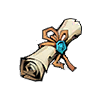
Used for the advanced summon option in the Hall of Heroes.
Choose the option showing the Ticket II icon and review its hero pool before spending.
Keep these separate from Ticket I; the numeral is part of the item type, not the bundle quantity.

Hero ascension
A progression material used when ascending heroes through level thresholds.
Open the hero’s upgrade screen at an ascension threshold and review the Ore and other costs.
Receiving Ore does not automatically ascend a hero. You choose which hero to invest it in.
Common summons
Used for the common summon option in the Hall of Heroes.
Open the Hall of Heroes and choose the option showing the Ticket I icon before summoning.
Ticket I and Ticket II are different items with different summon pools.
Hero fragments
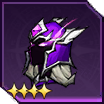
Pieces used to obtain a 5-Star hero in Omniheroes. The star rating or rarity in the name describes the hero, not the number of fragments in the reward.
Open the fragment entry in your bag and combine it once you have the required amount. The item panel shows the available hero pool and how many pieces you still need.
A small bundle adds to your fragment balance; it does not necessarily contain a complete hero.
Hero fragments
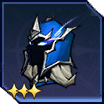
Pieces used to obtain a 4-Star hero in Omniheroes. The star rating or rarity in the name describes the hero, not the number of fragments in the reward.
Open the fragment entry in your bag and combine it once you have the required amount. The item panel shows the available hero pool and how many pieces you still need.
A small bundle adds to your fragment balance; it does not necessarily contain a complete hero.
Hero fragments
Pieces used to obtain a 3-Star hero in Omniheroes. The star rating or rarity in the name describes the hero, not the number of fragments in the reward.
Open the fragment entry in your bag and combine it once you have the required amount. The item panel shows the available hero pool and how many pieces you still need.
A small bundle adds to your fragment balance; it does not necessarily contain a complete hero.
Bounty management
Refreshes available bounty options so you can look for different assignments.
Open the Bounty feature, inspect the available tasks and use a Refresh Order when you want to reroll eligible options.
Refreshing changes the options; it does not complete a bounty or instantly grant its rewards.
Valkyrie gift
Lily of the Valley is a gift for the Valkyrie Favor system, used to build your relationship with eligible Valkyries.
Open the Valkyrie interaction and gifting feature, select a recipient and inspect the Favor gain before giving the item.
Gift preferences affect the value of a gift. Check the recipient’s preview; the item is not equippable combat gear.
Valkyrie gift
Jade Dagger is a gift for the Valkyrie Favor system, used to build your relationship with eligible Valkyries.
Open the Valkyrie interaction and gifting feature, select a recipient and inspect the Favor gain before giving the item.
Gift preferences affect the value of a gift. Check the recipient’s preview; the item is not equippable combat gear.
Valkyrie gift
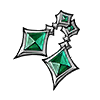
Jade Shard Pendant is a gift for the Valkyrie Favor system, used to build your relationship with eligible Valkyries.
Open the Valkyrie interaction and gifting feature, select a recipient and inspect the Favor gain before giving the item.
Gift preferences affect the value of a gift. Check the recipient’s preview; the item is not equippable combat gear.
Valkyrie gift
Lakegreen Stone is a gift for the Valkyrie Favor system, used to build your relationship with eligible Valkyries.
Open the Valkyrie interaction and gifting feature, select a recipient and inspect the Favor gain before giving the item.
Gift preferences affect the value of a gift. Check the recipient’s preview; the item is not equippable combat gear.
These explanations cover the listed items, rather than every possible reward in the game. Read the Omniheroes redemption guide
The Omniheroes guide
Omniheroes codes give Omniguardians an additional way to collect resources for their teams. Some gifts contain only Diamonds; others combine Gold, summon tickets, Ascension Ore or Hero Shards. This page separates every item in a bundle so you can see the difference between a small currency gift and a reward containing several resources.
Summon Ticket I and Summon Ticket II are listed as different items. Hero Shards are also separated by their 3-Star, 4-Star or 5-Star rarity. A star rating identifies the resource, not the number of shards you receive. Read the quantity next to each item before copying the code.
Open a reviewed reward to copy its code, then redeem it in Omniheroes. GachaLoot does not ask you to sign in to your game account here. Availability and account eligibility are checked by the game when you confirm the gift.
Omniheroes bundles can include Diamonds, Gold, Summon Ticket I, Summon Ticket II, Ascension Ore, Bounty Refresh Orders and 3-Star, 4-Star or 5-Star Hero Shards. Some listed gifts also contain Lily of the Valley, Jade Dagger, Jade Shard Pendant and Lakegreen Stone. Check the individual quantities in each gift.
The active listings above contain Diamonds, Gold, Summon Ticket II, Ascension Ore, Summon Ticket I, 5-Star Hero Shards, 4-Star Hero Shards, 3-Star Hero Shards, Bounty Refresh Orders, Lily of the Valley, Jade Dagger, Jade Shard Pendant and Lakegreen Stone. Open a reward to see the exact quantity of each item in its bundle.
Yes. Official redemption codes are free to claim when they are active. GachaLoot does not sell codes, ask for payment, or request your game-account password.
Paste the full code into the Gift Code field and tap Confirm. Keep its capitalization, including mixed-case codes. Read the result before moving on, then check your game inventory and mailbox for delivered rewards. If the option is not visible, finish the opening tutorial and check your profile settings again.
Tap your avatar at the top left of the game, choose Settings, then Gift Code. Paste the copied code and tap Confirm.
Listed rewards include Diamonds, Gold, two types of Summon Tickets, Ascension Ore, Bounty Refresh Orders and Hero Shards. Certain bundles also include Lily of the Valley, Jade Dagger, Jade Shard Pendant and Lakegreen Stone.
They are separate items. Read the ticket type and quantity shown in the bundle, then use the matching resource inside the game.
No. The star rating is part of the item name and describes its rarity. The quantity shown next to it tells you how many shards that gift contains.
Check spelling and capitalization first. The gift may also have ended, been claimed already or be unavailable to your account. The in-game confirmation gives the final result.
Gifts are generally limited to one claim per eligible account. Copying a code again does not reset that limit, and separate gift codes can have different eligibility rules.